Compliance & Disasters
This section covers treaty compliance monitoring, threshold configuration, and disaster hazard reporting.
1. Compliance Thresholds (IIMA)
To monitor and configure water treaty limits, managers navigate to the Compliance Thresholds tab.
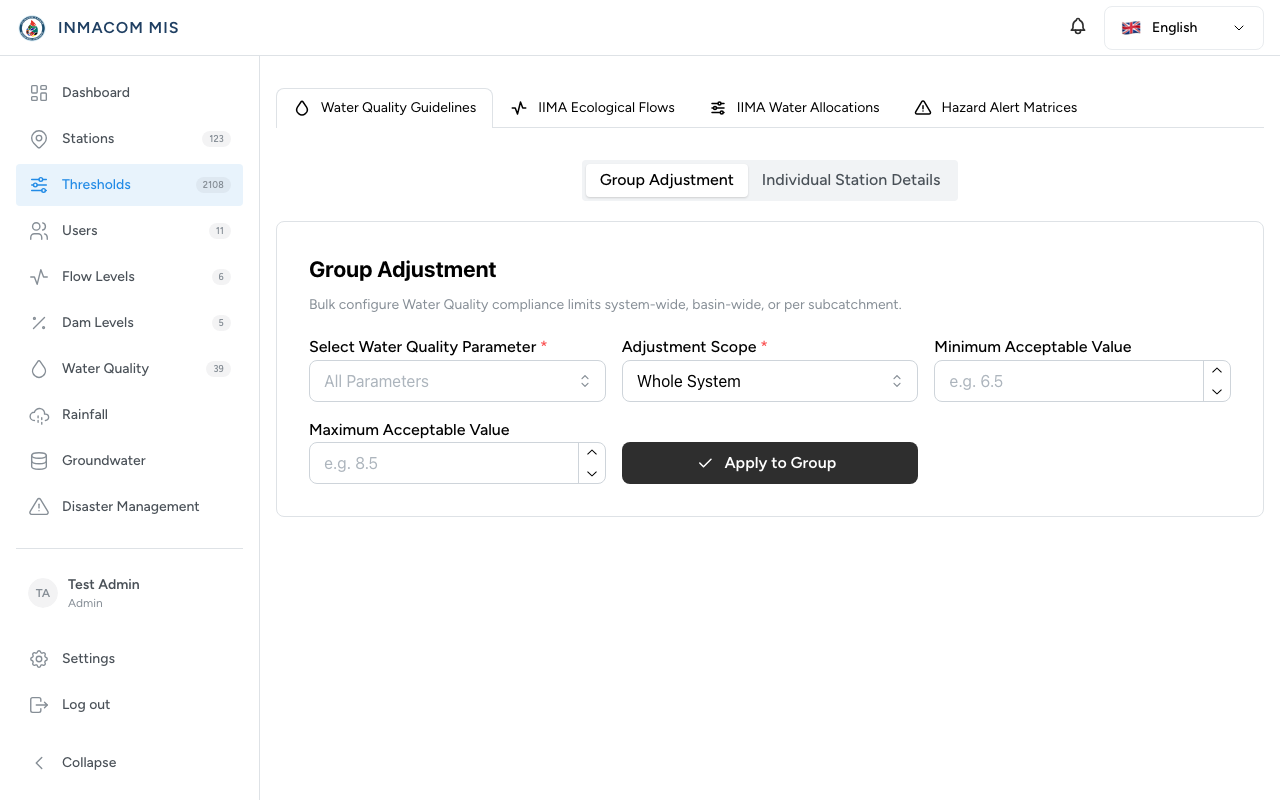
From this interface, Water Resource Managers can:
- Instream Flow Requirements (Eflows): Configure the minimum flow rate required at cross-border stations (e.g. South Africa/Mozambique border). If a daily average drops below this value, a critical alert is triggered.
- Water Quality Limits: Establish target ranges for parameters like salinity, pH, or EC. Exceeding these limits highlights the station in yellow on the main map.
- Water Allocations: Set maximum annual abstraction limits for each country and monitoring sector (irrigation, municipal, industrial).
2. Disaster incident Alerting
In the event of floods, dam spillages, or chemical spills, users must quickly report a Disaster Incident:
- Navigate to the Disaster Management tab.
- Click Report Incident.
- Select the affected Management Area and fill in the details:
- Type: Flood, pollution, dam failure, etc.
- Severity: Low, Medium, High, Critical.
- Description: Summary of the hazard.
- Click Submit.
3. Downstream Notifications
Once a disaster incident is logged:
- Alert Generation: An immediate notification is sent to all registered users of downstream countries. For example, if a chemical spill is reported in South Africa or Eswatini, a critical alert email and SMS is dispatched to ARA-Sul managers in Mozambique.
- Action Log: A collaborative log is opened for the incident where managers from all affected countries can post updates and coordinate response efforts in real time.