Stations & Revisions Module
Monitoring stations are the foundation of INMACOM MIS. They capture water flow rates, dam volumes, chemical levels, and rainfall amounts across the tri-basin region.
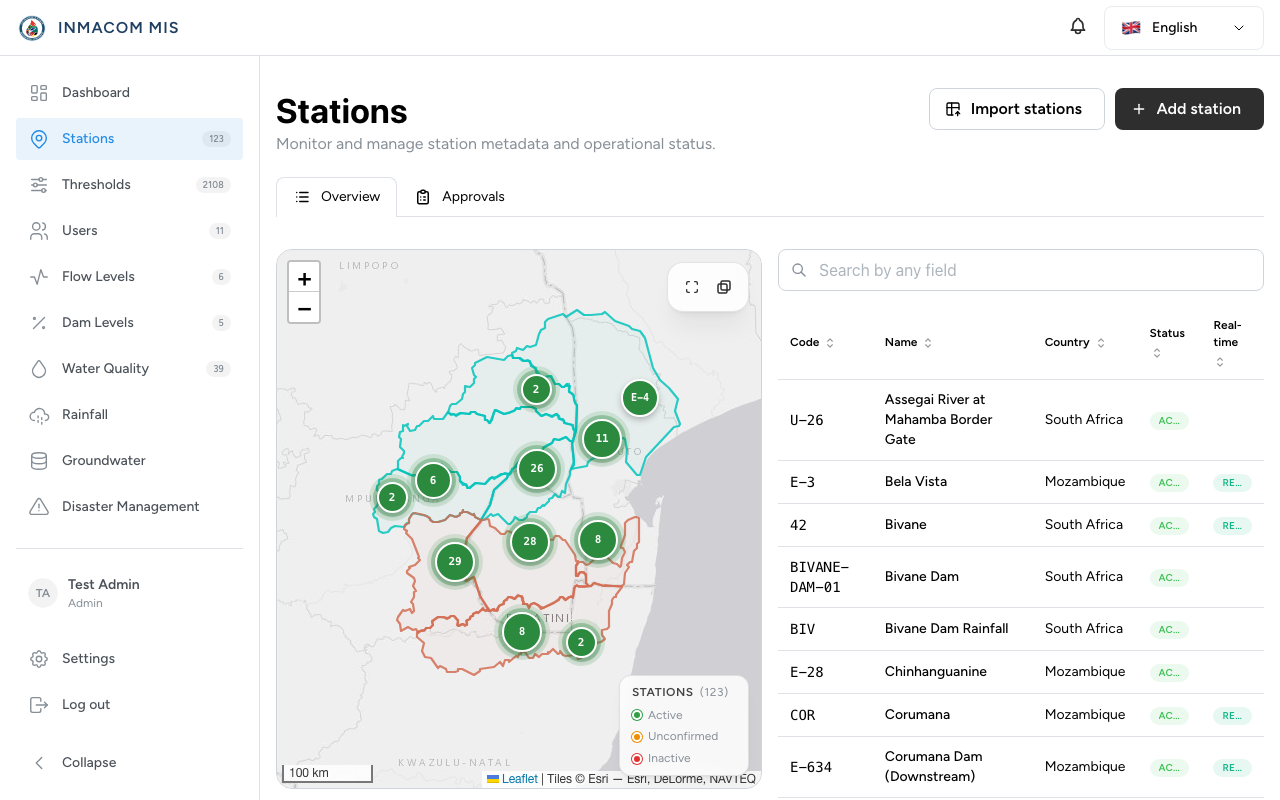
Station Schema Reference
Stations are stored in the stations table with the following key attributes:
code: A unique alphanumeric identifier (e.g.E12,K3M1).name: The name of the station (e.g.Sabie River at Lower Sabie).latitude&longitude: Geolocation points used to map the station.category:river(river flow),dam(dam level),wq(water quality),rain(rainfall), orground(groundwater).country:ZA(South Africa),MZ(Mozambique), orSZ(Eswatini).river_basin: The name of the basin, typicallyIncomati.gauge_code&telemetry_system: Reference values for telemetry links.is_active&is_real_time: Operational state flags.
2-Step Station Metadata Revisions
Editing station details (such as names or coordinates) requires a 2-step validation process to prevent human error or coordinate spoofing.
       ┌────────────────────────────────────────────────────────┐
       │   Clerk edits Station details (e.g. adjusts lat/long)  │
       └───────────────────────────┬────────────────────────────┘
                                   ▼
       ┌────────────────────────────────────────────────────────┐
       │ Creates pending record in 'station_revisions' table     │
       └───────────────────────────┬────────────────────────────┘
                                   ▼
       ┌────────────────────────────────────────────────────────┐
       │ Manager/Admin reviews change via Dashboard Approvals  │
       └─────────────────────┬───────────┬──────────────────────┘
                             │           │
                    Approve  │           │  Reject
                             ▼           ▼
        ┌────────────────────────┐   ┌────────────────────────┐
        │ 1. Copy changes to     │   │ 1. Mark revision state │
        │    'stations' table    │   │    as 'rejected'       │
        │ 2. Mark revision state │   │ 2. Append comment with │
        │    as 'approved'       │   │    rejection reason    │
        └────────────────────────┘   └────────────────────────┘
1. Revision Submission
When a clerk updates a station metadata record:
- The system creates a new entry in
station_revisionscontaining the updated fields serialized in the DB. - The parent
stationsrecord remains unaltered.
2. Approval & Demarcation
A manager or administrator reviews the revision draft.
- Approve:
POST /station-revisions/{id}/approve-> The controller merges the revision’s modified columns back into the mainstationstable record and updates the revision state toapproved. - Reject:
POST /station-revisions/{id}/reject-> The revision state is set torejectedand the manager writes a reason comment explaining why the changes were denied.
CSV Bulk Imports & Exports
To simplify onboarding and historical data syncing, the system provides bulk CSV import and export interfaces.
1. Station CSV Formatting
The bulk importer expects a CSV file with the following headers:
code,name,latitude,longitude,category,water_source,water_body_type,is_active,is_real_time,summary,telemetry_system,gauge_code,owner_org,country,river_basin- Validation: Coordinates must fall within the realistic bounding boxes of Southern Africa (Latitude:
[-28.0, -22.0], Longitude:[29.0, 34.0]). - Duplicate Handling: If a station code in the CSV already exists in the database, the record is skipped, and an import log warning is generated.
2. Exporting Station CSV
Any authenticated user can download the current active stations list as a CSV. The export is handled by StationsController@exportCsv which queries the stations table and streams a CSV header response back to the client browser.