Station Management
This section walks you through managing water monitoring stations and suggestion-based revision workflows.
1. Stations Registry
To view the complete list of monitoring stations in the basin, navigate to the Stations tab.
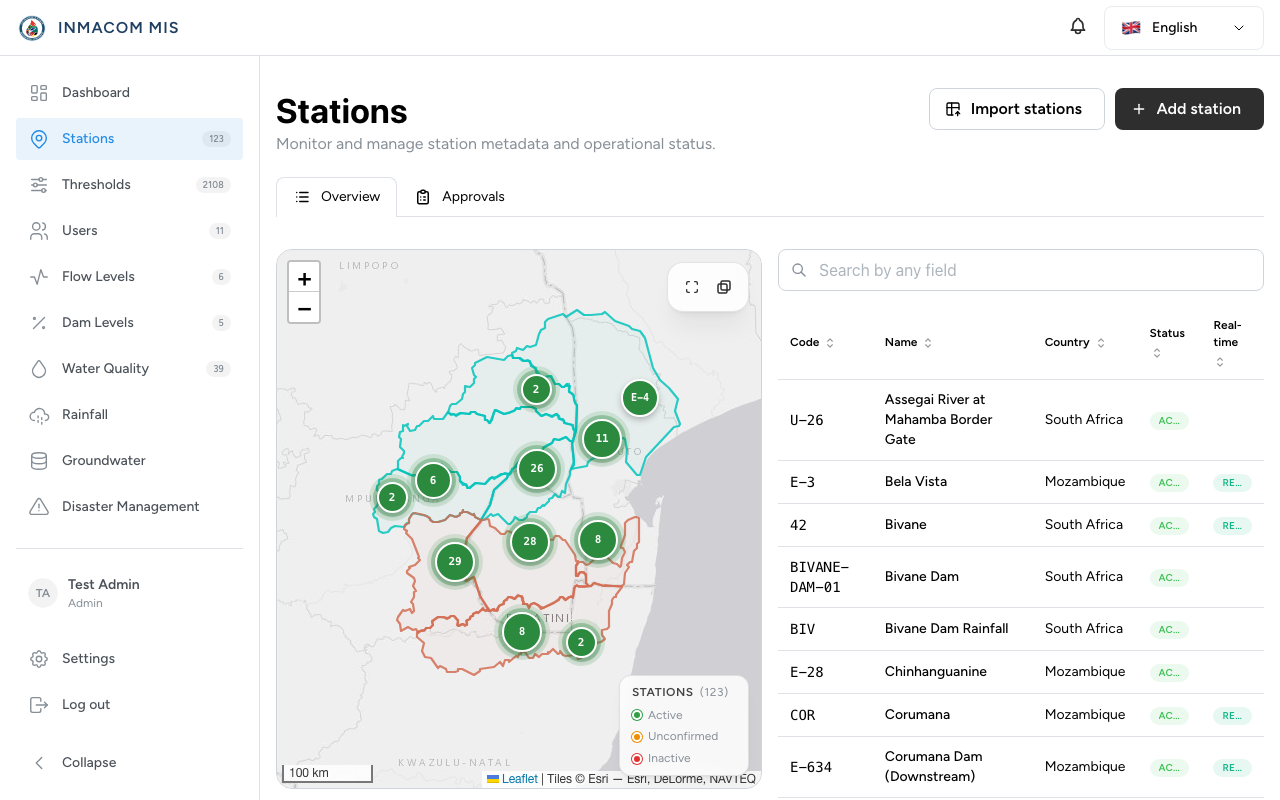
This table displays the station metadata, including:
- Station Code: Unique basin identifier (e.g.
X2H016). - Name & Basin: Geographic name and associated river system.
- Latitude & Longitude: Coordinate positions.
- Suggester / Status: Shows who suggested the station and its review status.
2. Suggesting Revisions (Clerks)
Data Entry Clerks cannot modify station metadata (such as names or coordinates) directly. Instead, they submit a Revision Request:
- Click on the station name to view its details.
- Click Suggest Revision.
- Edit the metadata fields in the form and click Submit Suggestion.
- The station’s status becomes
pending_revision.
3. Reviewing & Approving Revisions (Managers)
When a station is in pending_revision status, it appears in the manager’s review queue.
Manager Actions:
- Approve: Clicking Approve copies the suggested changes into the active station record and updates the status to
approved. - Reject: Clicking Reject opens a modal where the manager must provide a rejection note explaining the decision. The suggestion is discarded, and the active station remains unchanged.
- Comments Thread: Managers and clerks can converse directly on the revision request to clarify details before making a final decision.