Document Library
This section covers the shared file server system designed for exchanging reports, agreements, and policies across Tripartite countries.
1. Navigating Folders
To access the file server, click on the Document Library tab.
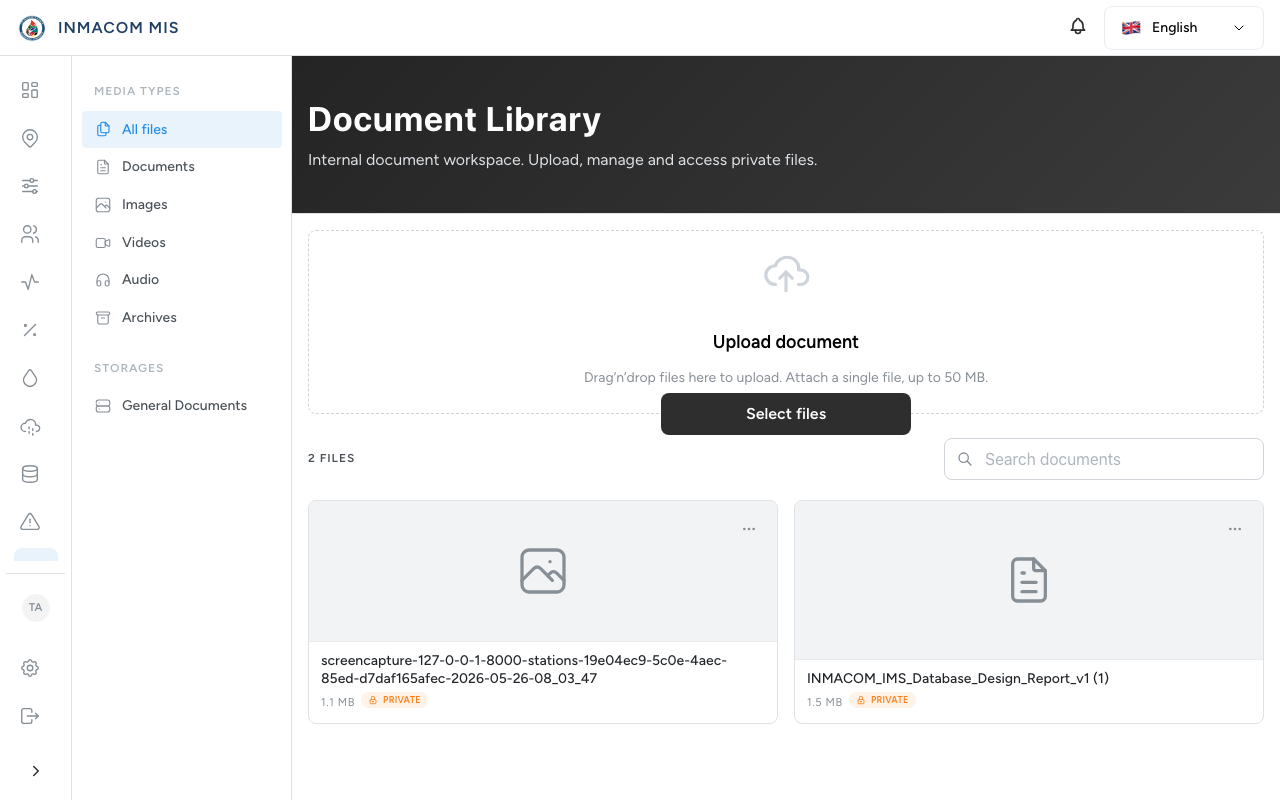
The library uses a structured folder system:
- Agreements: Copies of official Tripartite basin treaties and agreements.
- Reports: Monthly, seasonal, and annual hydrological reports.
- Policies: National water policy guidelines and standard operating procedures.
- Click on any folder to open it and view the nested files and subfolders.
2. Uploading Documents
Users can upload new files to the active folder:
- Open the folder where you want the file to reside.
- Click Upload Document (or drag and drop your file in the Mantine dropzone area).
- Fill in the document details:
- Document Name: Short, descriptive title.
- Country: The originating nation (Mozambique, South Africa, Eswatini).
- Description: Summary of the file content.
- Click Submit.
3. Downloading Shared Files
- All uploaded files are instantly visible to all users from Eswatini, South Africa, and Mozambique.
- Click Download next to any file row to download it.
- File integrity is audited, tracking who uploaded the file, who downloaded it, and when.