Data Entry & Review
This section covers the daily routine of water measurements data entry and the 2-step verification review workflow.
1. Navigating GIS Pages
To view and enter measurements, select the appropriate parameter page from the GIS Pages menu:
- Flow Levels: Streamflow discharge rate (m³/s).
- Dam Levels: Storage volume (million m³) and percentage full.
- Water Quality: pH, Electrical Conductivity (EC), Dissolved Oxygen (DO), etc.
- Rainfall: Precipitation depth (mm).
- Groundwater: Water table level below ground surface (m).
2. Submitting Daily Measurements (Clerks)
Data Entry Clerks enter daily readings:
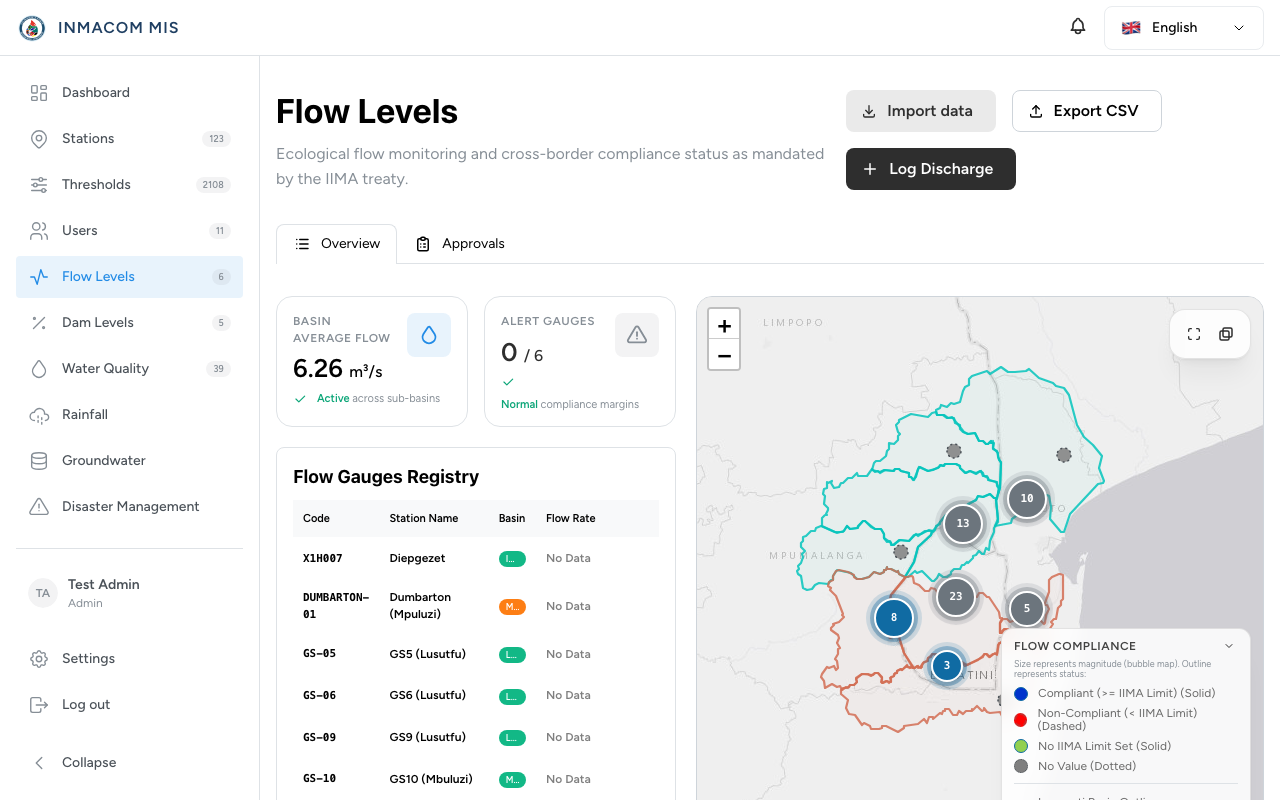
Steps to enter data:
- Click Add Measurement on the GIS parameter page.
- Select the Station and the Date/Time of the reading.
- Input the measurement value (e.g. flow rate).
- Click Submit.
Once submitted, the row is created with a pending status. It is visible on the dashboard in the Pending Review queue, but it is not factored into official compliance reports.
3. The 2-Step Verification Flow (Managers)
A Water Resource Manager must verify all pending data:
Manager Actions:
- Approve: Clicking Approve updates the status of the measurement to
approved. The data is locked and becomes part of the active compliance dataset. - Reject: If the value is suspicious or incorrect, the manager clicks Reject. This opens a modal requiring a rejection comment. The measurement is marked
rejected, and the submitter is notified. - Audit Logging: Every approval or rejection is recorded in the system audit logs, tracking the timestamp, action, and reviewing manager’s ID.